
This is the only English-language piece on the site that carries a referral link; the Chinese section has its own native-language version. It is written the way it is because published sign-up guides share one blind spot: they assume you already reached the genuine site, then start at the first input box. If the entry point is wrong, every careful step after it still hands your details to an impostor.
Three things to settle before you open anything
These three sit before the first page load, because they determine whether the rest of the process is even worth starting.
First, check what is available where you are. Exchanges offer different services in different countries, and some regions get routed to a different entity or see restricted functionality. Go by what the platform tells you when you actually visit, not by what someone reported months ago.
Second, set up an email address used only for this account. Not one that appears in public forums, on a résumé, or in shop order confirmations, and not one shared with other trading accounts. The practical reason: leaked datasets are routinely joined on email address, and a dedicated address lowers the odds of targeted contact considerably.
Third, have an identity document ready and confirm it is in date. Identity verification is unavoidable, and checking the expiry beforehand saves a round of failed retries later.
Step 1 · Where you enter from matters more than every step after it
Straight to the conclusion: enter only from something you can check yourself — a bookmark you saved, the app store page reached from the official site, or a link whose domain you read letter by letter once it opens (such as the one below). Not the sponsored slot at the top of search results, and not a link a stranger sends you unprompted in a chat or an email.
The top slot on a search results page can be bought. Impersonation sites have used it as a primary channel for years, and visually it sits very close to the organic results below it. The full breakdown of this layer is in how to confirm a real app and a real site.
If you want to open an account now, the link below goes to Binance's official registration page and carries our referral code. Like any link someone else gives you, it should not be trusted blindly: once it opens, check that the domain in the address bar is binance.com using the method in Step 2, and only then fill anything in. If you would rather not click an outside link, use your own bookmark.
Open the official Binance registration page (with referral code BN0112)
Advertising disclosure: that is our referral link and it is commercial promotion. Registering through it makes Binance apply its current referral rules. Whether that code gives any trading-fee discount, and at what rate, must be confirmed on Binance's registration page at the time. If you simply would rather not click an outside link, you can go to Binance yourself and type BN0112 into the referral field. That has the same effect as the link and still counts toward this site's referral share; if you do not want this site to receive it, leave our code out. Check what the form actually shows before submitting.
Don't fill anything in yet
Whichever entry point you used, the first thing to do once the page finishes loading is this: click the address bar so the full URL is visible, and read the domain from right to left. It takes three seconds and it eliminates an entire category of risk.
Step 2 · How to read a domain properly
Read right to left, and find the registrable part of the domain first. For an address ending in something like .com, that is the last two segments. Some endings take up two segments on their own (.co.uk, .com.au), and then the registrable part is the last three; checking only two would treat a public suffix anyone can register under as the owner. Everything to the left of the registrable part is a subdomain and can be set to anything at all by its owner.
A neutral example: in login.example.com ownership is decided by example.com, and login is just a subdomain. In example.com.attacker-site.net ownership is decided by attacker-site.net — the familiar-looking string in front is entirely subdomain and has no relationship to the real example.com.
This is worth repeating specifically on a registration page, because registration pages are a prime impersonation target: they legitimately ask for an email and a password, so no additional pretext is required. A person spends very little of their life on registration pages, and every one of those moments is high value to somebody.
One more thing that trips people up: the domain used for sign-up and login may not be identical to the main site's domain, because many platforms put account functions on a separate subdomain. So the correct habit is not memorising one exact string — it is knowing the registrable domain, and accepting that the part in front of it varies legitimately.
Step 3 · The things nobody ever needs from you
Do not give a caller or chat contact your passwords, one-time codes, authenticator setup key, recovery codes or wallet seed phrase. Enter verification information only in the official service flow you opened and checked yourself.
One-time codes are generated and sent by the platform; it does not need you to read them back. Your password is stored in a form support staff cannot read and do not require. A seed phrase belongs to a self-custody wallet, which is a different system entirely from an exchange account — the platform will never ask. Photographs of identity documents are submitted inside the official flow and never through a chat app or an individual.
Requests for these do not have to be blunt. They arrive dressed as procedure: verifying your identity, clearing a risk flag, assisting with your transaction. A request for a login secret is reason enough to stop, whatever explanation comes with it. The channels this arrives through are mapped in how fake support finds you. The reverse does not hold: someone who asks for no credentials may still tell you to transfer assets to a supposed "safe account" or install remote-access software and hand over control. Stop in either case. The FTC's tech-support scam guidance describes remote access and demands to move money for protection (checked in October 2026).
Step 4 · The referral field, and what happens if you skip it
The referral field appears in the registration form, sometimes collapsed behind a link labelled something like "have a referral code?". Enter BN0112 there if you want the referral-linked discount.
An established referral relationship cannot be changed or removed. A missed code is a different question. Binance's Referral Pro FAQ, questions 4 and 6, checked in October 2026, allows eligible accounts to apply for late binding. All conditions must hold: registration within 30 days, no deposit or trading activity, no existing referrer, a parent account, KYC information not used on another account in the past 180 days, and no wash-trading flag. Use the official App or website's Referral section and the binding entry linked in the FAQ. Eligibility and acceptance are decided by Binance. Do not close and reopen an account for referral benefits, pay an intermediary or share a verification code. Any fee discount still depends on the platform's current terms.
The discount rate itself is set by the exchange and changes with their programmes. Any promoter claiming a permanent rate is describing something they do not control, which is the subject of its own case file.
Step 5 · Identity verification, and how it gets imitated
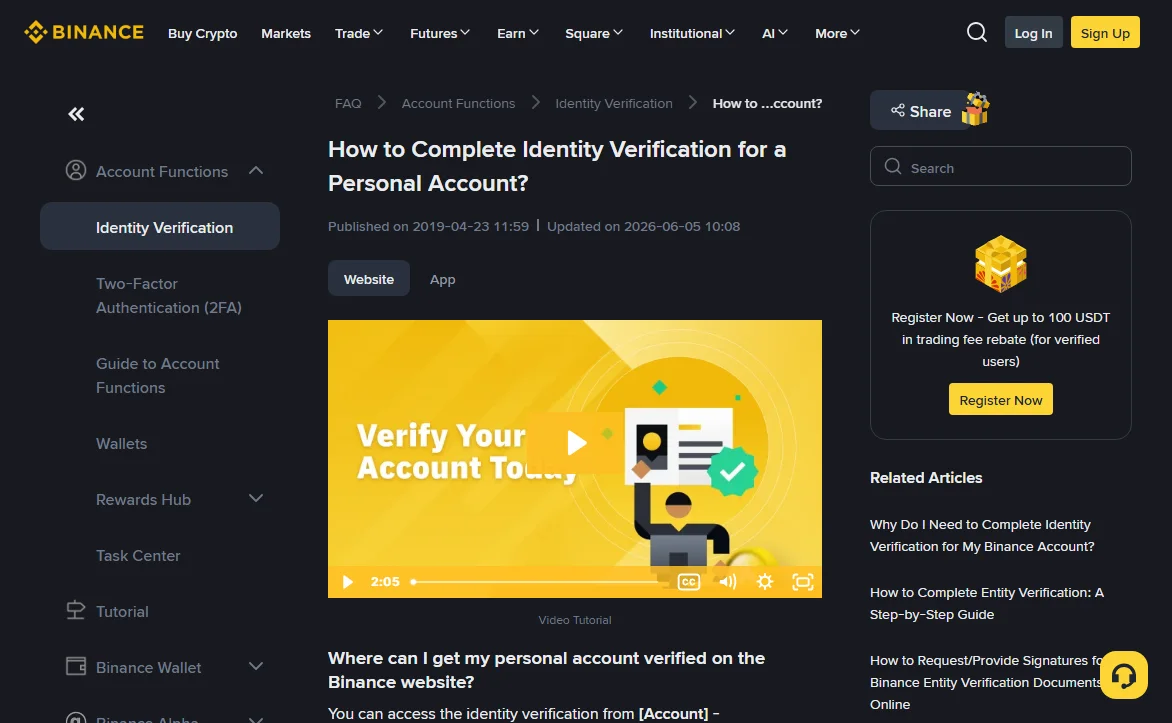
Verification happens inside the official app or site, in one continuous flow, and you are never asked to send documents to a person. That single sentence covers most of what can go wrong here.
Use good lighting and follow the background and document instructions shown in the verification flow. A clear image can avoid image-quality problems, but it does not guarantee acceptance on the first attempt. The flow may also require a liveness check. Keep the original documents safely and avoid leaving unnecessary identity-document photos in your camera roll; check whether your photo app uploads them to cloud storage.
What impersonation looks like at this step
Someone contacts you saying your verification failed, was flagged, or needs re-submission, and offers to help — usually asking you to send the documents to them, or to open a link and submit there. Real verification results appear inside the app you submitted through. If there is a problem, you will see it there; if you cannot see it there, there is no problem.
Step 6 · Two-factor that survives social engineering
Turn this on before you deposit anything. The cost of setting it up on an empty account is near zero, and the cost of setting it up after something goes wrong can be everything.
Ranked by what they actually resist: SMS is the weakest, because it depends on your phone number, which can be transferred to someone else through carrier processes without touching your password. An authenticator app removes that dependency and is a clear improvement. A hardware security key is the only common option that also defeats real-time phishing relays, because it is bound to the domain and simply will not respond to an impostor site.
When linking an authenticator app, keep the setup key securely. Binance's Google Authenticator setup guide, checked in October 2026, shows a QR code and a setup key, not a batch of single-use recovery codes. The setup key can add the same authenticator account and generate its codes, so treat it as a login secret. Write it on paper and store it separately; do not screenshot it, put it in notes, or message it to yourself. If you have lost the key or cannot verify, start an authenticator reset inside the official Binance app. The comparison of authentication methods, including phishing-relay risks, is in SMS, authenticator app, hardware key — what actually differs.
Step 7 · Withdrawal settings, while the account is still empty
Two settings are worth turning on now rather than later.
A withdrawal whitelist restricts withdrawals to addresses you added in advance, with a waiting period before a newly added address becomes usable. The protective part is the waiting period, not the list — it converts an instant drain into something that gives you time to notice. It does not stop you from being talked into adding an address yourself, which is discussed honestly in is a withdrawal whitelist worth turning on.
Check your API keys, or rather, make a habit of it. You have none today, but people accumulate them through trading bots and portfolio tools, and a key with withdrawal permission is a separate exit route the whitelist does not cover. Almost no use case needs that permission.
Before your first withdrawal, send a small test amount first and confirm it arrives before moving the rest. Pasting errors, clipboard replacement and picking the wrong network all surface in that test. Whether an address is at least well-formed can be checked with our transfer address checker, which runs in your browser and sends nothing anywhere.
Step 8 · A closing checklist
Run through these once, then you're done
- Bookmark the correct address now that you have verified it, and use the bookmark from here on.
- Note the app store developer name shown on the official listing, so you can compare next time.
- Confirm notifications reach you — email deliverable, push not muted, withdrawal and new-device alerts enabled.
- Find the emergency freeze control before you need it. Most platforms let you disable withdrawals or lock the account yourself.
- Locate the in-app support entry point and remember where it is, so you never search for it later.
That last one matters more than it looks. People search for support contact details precisely when something has gone wrong and they are least patient, which is exactly the moment impersonators are positioned for.
The first week, and one habit worth forming
The riskiest period for a new account is not the setup — it is the fortnight afterwards, while the habits are still forming and the settings are still unfamiliar.
Three things are worth doing during that stretch. Make one small withdrawal you do not need, purely to walk the process while nothing is urgent; discovering that the whitelist cooling period exists is much better done deliberately than at speed. Read one notification properly rather than dismissing it, so you know what a genuine platform message looks like and how it differs from the imitations described throughout this site. And check the login history once, so you know where that page lives and what normal looks like on it.
The habit worth forming is narrower than any of those: always arrive from your own bookmark. Not sometimes, not when you remember — always. It is the one practice that makes most of this guide unnecessary on every subsequent visit, because the question "am I on the real site" stops being a question you have to answer.
On the login history specifically: what you are learning is what your own normal looks like — how many entries a typical week produces, which devices appear, which locations. Anomalies are only visible against a baseline, and the baseline has to be built while nothing is wrong.
Common questions
Does using a referral code cost me anything?
No. The code does not change the fee schedule the exchange applies to you. It only determines who receives the share the exchange already pays out of fees it has collected. Where a discount programme is running, signing up with a code typically gets you a reduction as well, with the actual rate shown on the exchange's own page.
I forgot to enter the referral code. Can I add it later?
Only eligible accounts can apply for late binding. Binance lists requirements including registration within 30 days, no deposit or trading, no existing referrer, a parent account, and identity and risk checks. See Step 4 for all conditions. An established referral relationship cannot be changed or removed. Do not pay anyone offering to fix it.
Which two-factor method should I turn on first?
Start with an authenticator app rather than SMS, and add a hardware security key if you hold meaningful balances. SMS depends on your phone number, which can be moved to someone else through the carrier. An authenticator app removes that dependency, and a domain-bound hardware key is the only common option that also stops real-time phishing relays.
Why does the login page sit on a different domain from the main site?
Many large platforms put account functions on a separate subdomain, and that is normal. What matters is not memorising one exact string but knowing the registrable domain — the last two segments before the top-level domain. Everything to the left of that can legitimately change.
Is a padlock in the address bar enough to prove the site is real?
No. The padlock means traffic between you and that server is encrypted. It says nothing about who runs the server. Impersonation sites obtain certificates too and display the same padlock. Encryption only guarantees your password reaches its destination safely, including when that destination is the wrong one.